
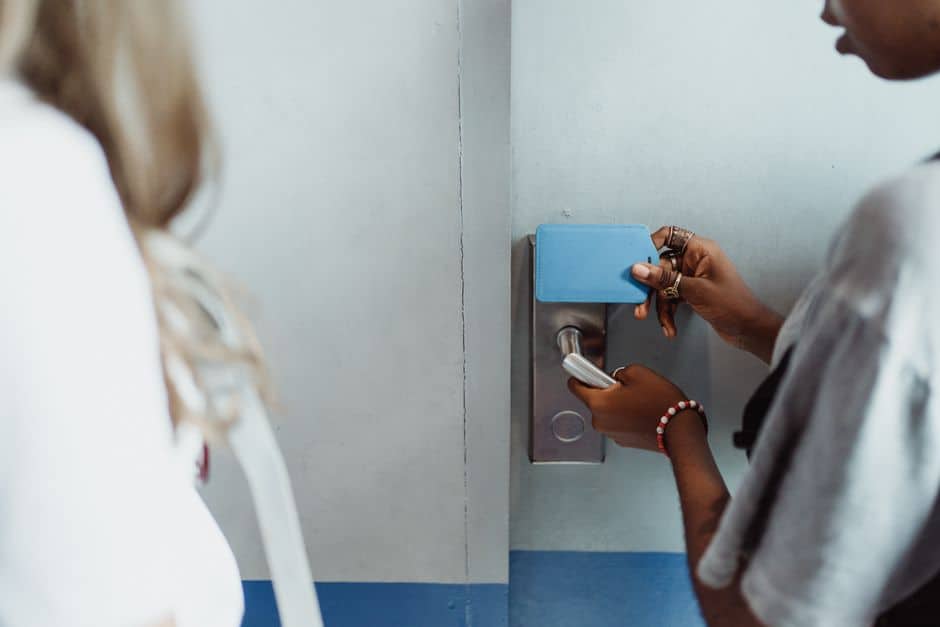
Why “room key strategy” has become a guest-experience battleground
Room access used to be a back-of-house detail: print a card, encode it, hand it over. Now it’s a high-stakes moment that influences first impressions, labor costs, security risk, and even review scores. Guests arrive expecting speed, choice, and reliability—yet hotels must balance privacy, fraud prevention, and operational realities like elevator access control and offline functionality.
At the same time, the market is noisy: mobile keys in apps, QR codes via messaging, NFC wearables for resorts, and the tried-and-true RFID card. Each has benefits—and hidden gotchas. This comparison breaks down four key approaches with practical tips and real-world scenarios, so you can choose (or blend) what fits your property.
Option 1: Mobile key in a hotel app (Bluetooth / NFC)
What it is
Guests use the hotel’s app (or a brand app) to open guestroom doors via Bluetooth Low Energy (BLE) or NFC. The digital credential is typically provisioned after identity checks or check-in steps. Doors require compatible locks and software integration with your PMS/CI platform.
Where it shines
- Queue reduction: A well-designed “skip the desk” flow can reduce arrival bottlenecks, especially for business hotels with Monday/Tuesday peaks.
- Lower plastic usage: Some properties report meaningful reductions in card issuance when mobile adoption is high (but keep spare cards for exceptions).
- Upsell moments: App-based access can pair with pre-arrival offers: paid early check-in, room upgrades, late check-out.
Trade-offs to plan for
- Adoption is rarely universal: Not all guests want another app, and some corporate devices restrict Bluetooth/NFC.
- Support burden: “My key won’t open the door” turns into a troubleshooting tree: OS version, permissions, Bluetooth settings, background refresh, battery saver modes.
- Offline edge cases: If the guest has no signal on arrival, your process must still work (pre-provisioning helps; so does a backup RFID card).
Actionable tips
- Make it optional but visible: Present mobile key as a convenience, not a requirement. Include it in pre-arrival emails and SMS, not just at the desk.
- Set a “rescue path” SLA: Train staff to resolve mobile key failures in under 2 minutes—offer a card immediately, then troubleshoot later if the guest wants.
- Audit identity checks: Decide which reservations qualify for remote key issuance (e.g., repeat guests, verified payment, matched ID on file).
Best-fit properties
Business hotels, branded select-service, and urban properties aiming to streamline arrivals—especially where loyalty enrollment is already strong.
Option 2: QR code keys (delivered via web link, email, or messaging)
What it is
Guests receive a QR code that can be scanned at the door reader, turnstiles, elevator controls, or a lobby kiosk. Depending on the system, the QR can be time-limited, tokenized, and refreshed for security.
Where it shines
- No app barrier: Guests can open a link or show a code from their wallet or email—useful for independent hotels and event-heavy properties.
- Fast deployment for some setups: In certain access-control environments (especially where scanning hardware already exists), QR can be easier than full BLE/NFC rollouts.
- Group logistics: Codes can be issued for meeting rooms, spa access, day passes, or contractor entry windows.
Trade-offs to plan for
- Screenshot risk: If your QR code is static, it can be shared. Mitigate with expiring codes, rotating tokens, and device binding when possible.
- Scanner performance: Poor lighting, cracked screens, low brightness, or smudged camera lenses can slow entry and frustrate guests.
- Privacy optics: Guests may worry about links in messages. Clearly brand the communication and explain what data is (and isn’t) collected.
Actionable tips
- Use short validity windows: Issue codes that activate at check-in time and expire at check-out, with rolling refresh for extended stays.
- Offer a “print-on-demand” fallback: A small lobby station (or front desk capability) to print a paper QR for guests without smartphones can prevent accessibility issues.
- Stress-test scanners: Test with low brightness, older phones, and screen protectors. If scanning takes more than 1–2 seconds on average, tune hardware placement and exposure settings.
Best-fit properties
Boutique and independent hotels, mixed-use venues (hotel + coworking + events), and properties that want digital access without requiring app adoption.
Option 3: Wearable keys (NFC wristbands, rings, or smart badges)
What it is
Guests receive an NFC-enabled wristband or wearable device that unlocks the room and can also authorize purchases (cashless resort model), enter pools/gyms, or access kids’ clubs. Wearables can be disposable or reusable with sanitation protocols.
Where it shines
- Resort convenience: No phone, no wallet, no soggy key cards at the pool. This is a genuine “vacation friction remover.”
- Ancillary revenue enablement: When guests can charge with a tap, spend often becomes more impulsive and seamless (especially at bars, cabanas, and activities desks).
- Family-friendly: Parents can keep kids’ access controlled while letting them move around safely with limited privileges.
Trade-offs to plan for
- Inventory and loss: Wearables walk away. You’ll need a loss policy (deposit, charge, or built-in shrinkage budget).
- Sanitation and reuse: Reusables require a cleaning workflow that’s consistent and auditable.
- Brand alignment: A premium resort can make wearables feel like a perk; an upscale city hotel may find them unnecessary or gimmicky.
Actionable tips
- Start with zone access: Begin by using wearables for pools/spa/gym and room entry; add payments later once staff training and guest education are stable.
- Design for comfort: Choose adjustable bands and test for skin sensitivity. Small discomfort becomes a loud complaint.
- Offer opt-outs: Some guests prefer cards or mobile. Choice increases satisfaction more than forcing a single “signature” method.
Best-fit properties
All-inclusive resorts, waterpark hotels, cruise-adjacent lodging, golf and spa destinations, and family-focused properties with extensive on-site activities.
Option 4: Classic RFID key cards (still not obsolete)
What it is
Contactless RFID cards programmed at check-in, widely compatible with hotel lock ecosystems. They can incorporate elevator access control and can be quickly replaced.
Where it shines
- Universality: Works for nearly everyone, regardless of phone model, battery level, or app comfort.
- Speed and familiarity: Staff can issue cards quickly; guests understand them instantly.
- Resilience: Cards can function during network outages depending on your lock configuration.
Trade-offs to plan for
- Replacement churn: Demagnetization is less common with RFID than old magstripe, but lost cards still drive front desk traffic.
- Sustainability pressure: Single-use plastics and repeated re-encoding generate waste and cost; some guests perceive cards as less modern.
- Security hygiene: Poor desk procedures (issuing without ID checks, leaving cards on counters) can undermine the system.
Actionable tips
- Issue fewer by default: Ask “How many keys will you need?” rather than handing out two automatically. It reduces waste and later confusion.
- Switch to recycled or wooden cards where practical: Some suppliers offer more sustainable materials—evaluate durability and reader compatibility before committing.
- Use cards as backup, not as the only plan: Even if you go mobile-first, keep RFID as the fail-safe for accessibility and edge cases.
Best-fit properties
Almost every segment—particularly economy and midscale hotels that need predictable operations and minimal guest tech support.
Comparison snapshot: which approach wins on what?
- Lowest guest friction (for adopters): Mobile app key (when it works smoothly) and wearables (in resorts).
- Lowest adoption barrier: RFID cards and QR codes.
- Best for ancillary spend enablement: Wearables (tap-to-charge) and app keys (pre-arrival offers).
- Best for operational resilience: RFID (plus properly configured offline-capable locks). QR/mobile depend more on systems and devices.
- Best for independents avoiding “another app” problem: QR codes or wallet-based web flows.
Real-world deployment scenarios (and what to copy)
Scenario A: A 120-room downtown hotel with heavy corporate traffic
Recommended blend: Mobile app key + RFID backup. Push mobile adoption via pre-arrival messaging and loyalty perks (like a small F&B credit for using mobile check-in). Keep two desk stations focused on exceptions and group arrivals.
Copy this operational trick: Create a “mobile key rescue kit” at the front desk: a short script, a printed QR help sheet, and a one-tap PMS workflow to issue an RFID without restarting the entire check-in.
Scenario B: A resort with pools, beach access, and multiple outlets
Recommended blend: NFC wearable + optional RFID. Use the wearable for room + towel station + pool gates + charging privileges. Offer RFID to guests who dislike wristbands or have skin sensitivities.
Copy this revenue trick: Tie wearable activation to a brief “how to charge” explanation at check-in, and place subtle reminders at high-margin outlets (“Tap your band to charge to your room”).
Scenario C: A boutique hotel hosting frequent weddings and events
Recommended blend: QR codes for event spaces and short-term access + RFID for guestrooms. QR codes can simplify vendor access windows (florists, AV, photographers) without issuing piles of physical keys.
Copy this security trick: Use time-boxed QR permissions (e.g., 10 a.m.–2 p.m. load-in) and name each credential (“DJ Load-In”) so staff can validate at a glance.
Security and trust: the non-negotiables (no matter what you choose)
Digital convenience is great, but guests care about safety and privacy. Public reporting on cyber risk and business disruption has kept the hospitality sector alert; mainstream coverage of major incidents is a reminder to invest in basics like access management, segmentation, and incident response planning. For ongoing reporting and context on security and business risk across industries, you can consult Reuters coverage as a starting point for staying current.
- Enforce least-privilege access: Staff credentials should only open what they need, for the hours they need it.
- Log everything: Ensure your access system provides usable audit trails for dispute resolution and incident response.
- Plan for outages: Document what happens if internet drops, the lock server fails, or your mobile-key vendor is down. Practice the fallback process.
- Communicate clearly: Guests should know how to get help at 1 a.m. when a phone dies or a wristband breaks.
How to choose: a simple decision framework
Step 1: Map your guest mix
- High loyalty / repeat guests: Mobile app keys gain traction faster.
- International travelers: QR or RFID may be simpler than app downloads (data roaming, app store restrictions).
- Families / resort guests: Wearables often deliver the most delight.
Step 2: Identify your “pain moment”
- Front desk lines: Prioritize mobile or kiosk + mobile.
- Lost keys and re-issues: Mobile can reduce churn; wearables can help in pool-heavy environments.
- Unauthorized access concerns: Focus on expiring credentials, strong ID workflows, and audit logs (applies to all).
Step 3: Run a pilot with measurable goals
- Adoption rate: % of stays using the new method at least once.
- Time-to-room: Average minutes from arrival to successful door open.
- Support tickets: “Key not working” incidents per 100 check-ins.
- Card issuance: Cards per occupied room (a proxy for waste and desk workload).
Conclusion: the best “key” is usually a portfolio, not a single bet
In 2026, the smartest hotels aren’t asking, “Which one replaces key cards forever?” They’re asking, “Which mix reduces friction for our guests while keeping operations resilient?” For most properties, a blended approach wins: RFID as the universal fallback, paired with either mobile keys (for speed and personalization), QR codes (for no-app convenience and event access), or wearables (for resort-style freedom and tap-to-charge simplicity).
If you design the rollout around real guest behaviors—plus clear fallback procedures and staff training—your access strategy becomes more than a door opener. It becomes a quiet, reliable promise that the stay will be easy from the first minute.